New Google Docs plugin beta
Paperpile is introducing a brand-new version of the Google Docs plugin. It provides a new look, many new features, and improved performance.
Get started
- To enable the new Google Docs plugin, visit https://app.paperpile.com/settings/feature-preview and turn on the setting labeled “New Google Docs plugin”.
- Note: this setting may not be available for all users as we ramp up the beta test. Contact support@paperpile.com if you’d like to test.
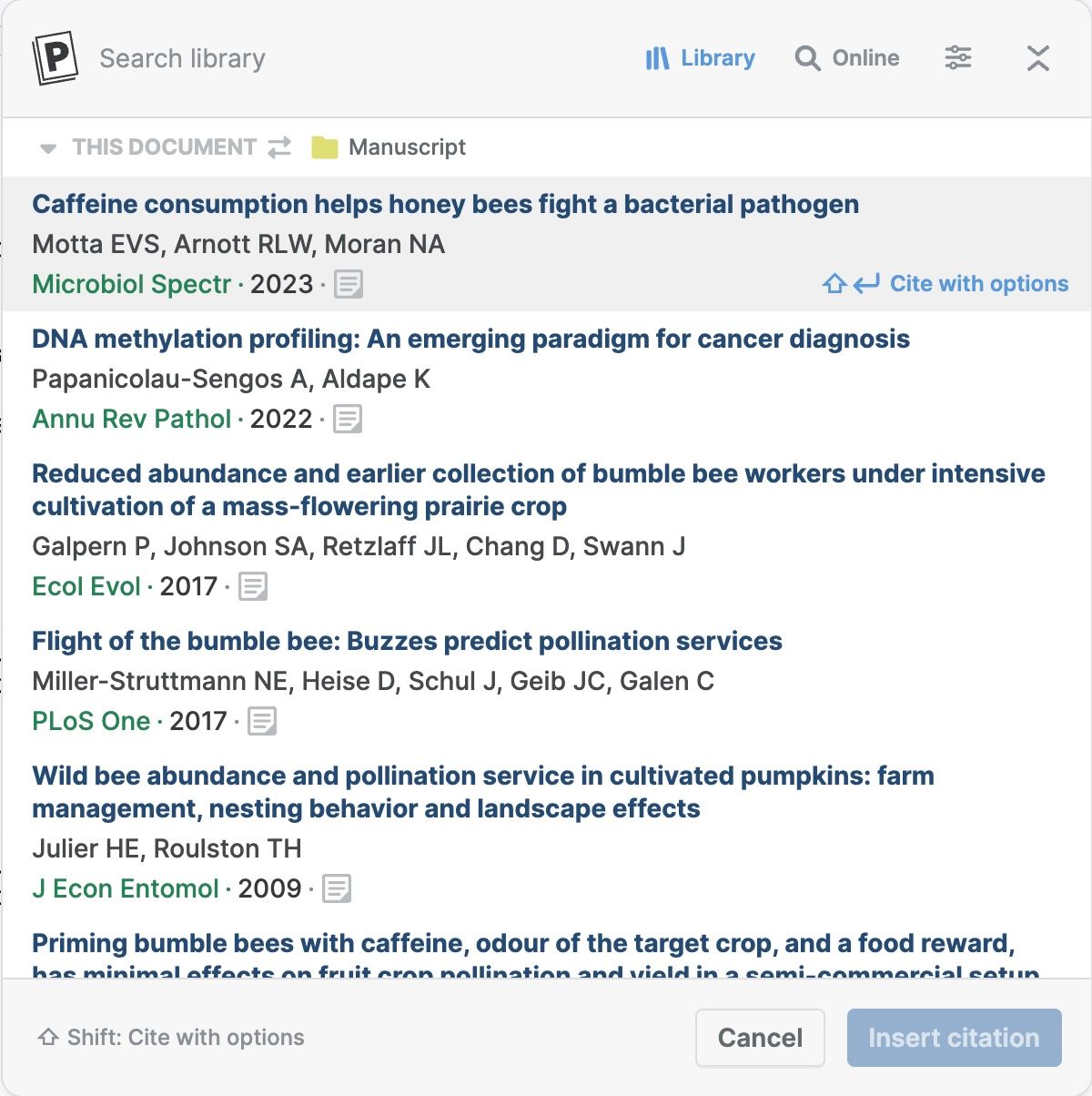
Citation dialog
The new citation dialog has a streamlined look & feel and supports more features, including citing references from shared libraries and advanced search syntax.
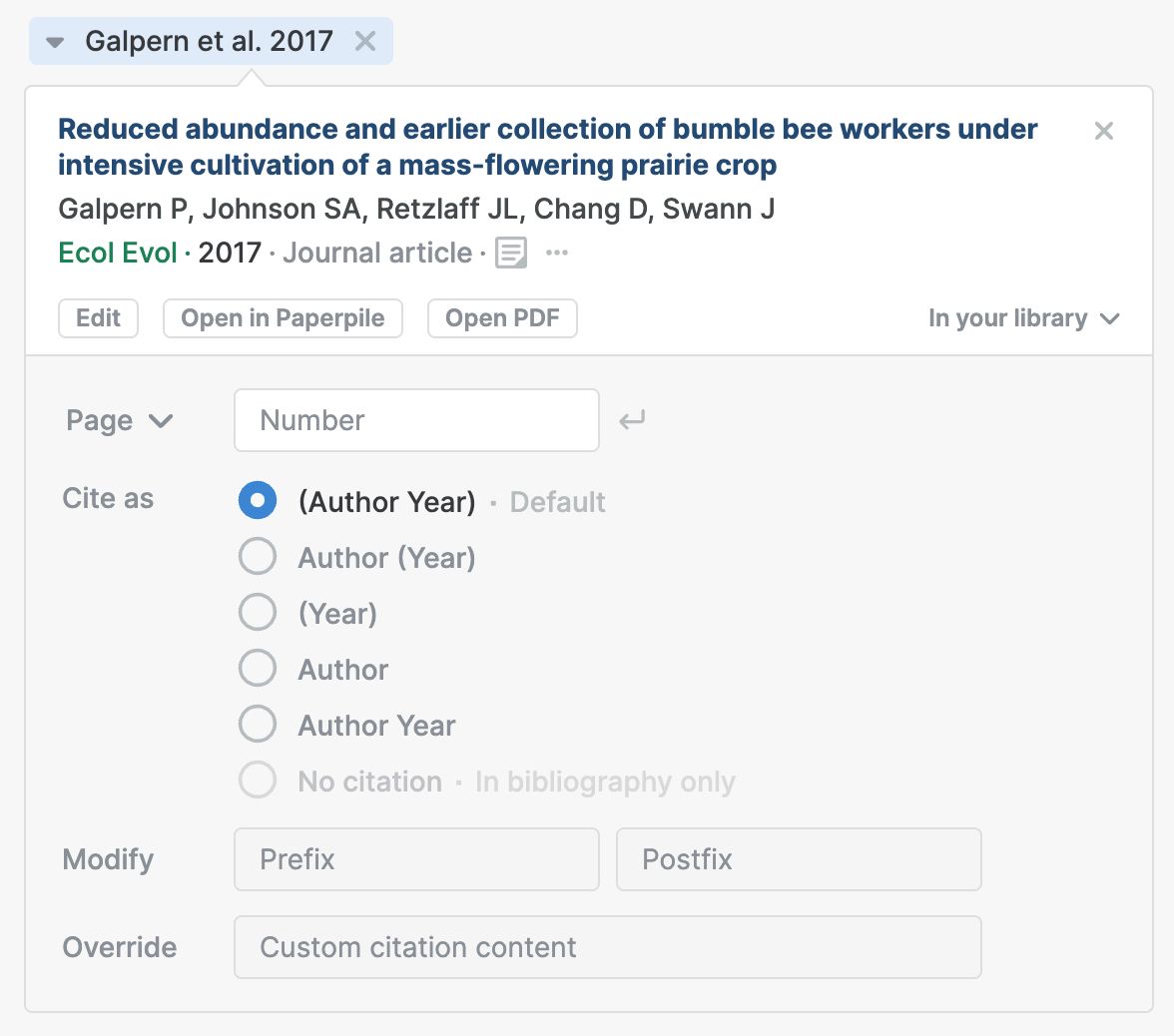
Citation options
Clicking a citation chip in the dialog shows all options and actions available, including new highly-requested features for increased manual control.
Other new features
- Support for document tabs: place a bibliography in each tab, at the end of the document, or both.
- Improved performance: refreshing citations is 3-5x faster.
- Synced folders: choose a folder to keep synced with the references in your document.
Troubleshooting
Authentication issues
The new Google Docs plugin uses a different mechanism to reformat your citations and bibliography. When you reformat citations for the first time, you should be guided through a flow to grant a limited new set of permissions to the Paperpile app.
If you run in problems, please contact support@paperpile.com. Take a screenshot of any error messages you encounter to share with our support team.