Delete your personal data
You can permanently delete your Paperpile account and personal data at any time. This article explains how account deletion works and what happens to your data.
Before you delete your account
Account deletion is permanent and cannot be undone. Before proceeding, consider:
- Exporting your library data and PDFs if you want to keep them. See Export your library data and Bulk download PDFs and other files.
- Understanding what happens to shared libraries. We recommend giving other Paperpile users “Admin” permissions in shared libraries that you own, if you don’t want them to be deleted. See Permissions in shared folders and libraries.
- Understanding what happens to shared folders. Folders that you have shared with others will be permanently deleted and other users will lose access. We recommend copying over references to a shared library and giving another Paperpile user “Admin” permissions, and/or exporting the references in the shared folder to a bibliographic file that you can share with others.
- Understanding what happens if you own a team or organization. You must delete your team or transfer ownership of it to another user before you can delete your account. See Delete a team and Change user permissions for more information.
- Leaving a team subscription if you are a member of a team. See Leave or switch a team or organization for more details.
- Canceling your subscription to avoid future charges.
Export your data first
We recommend exporting your library before deleting your account.
Export your library data:
- Click your profile picture in the bottom left
- Go to Settings > Data and files
- In the “Export” section, click Export data
- Choose your preferred format (BibTeX, RIS, JSON or CSV)
- Download the file
Export your PDFs and other files:
- In the sidebar click the three-dot menu next to the My Library header
- Select Download files as ZIP
- Save the ZIP file to your computer
See also Export your library data and Bulk download PDFs and other files for more details.
Delete your account

To delete your account:
- Go to Settings > My account
- Go to the Danger zone section at the bottom
- Click Delete account
Confirm deletion of your shared libraries

If you're the only administrator of any shared libraries, you'll see a confirmation dialog listing those libraries.
Deleting your account will also delete your shared libraries. To keep your shared libraries available for other users, give another member “Admin” permissions before you continue. See Manage shared libraries for more details.
Click Continue anyway to proceed with deletion, or Cancel to go back.
Confirm account deletion
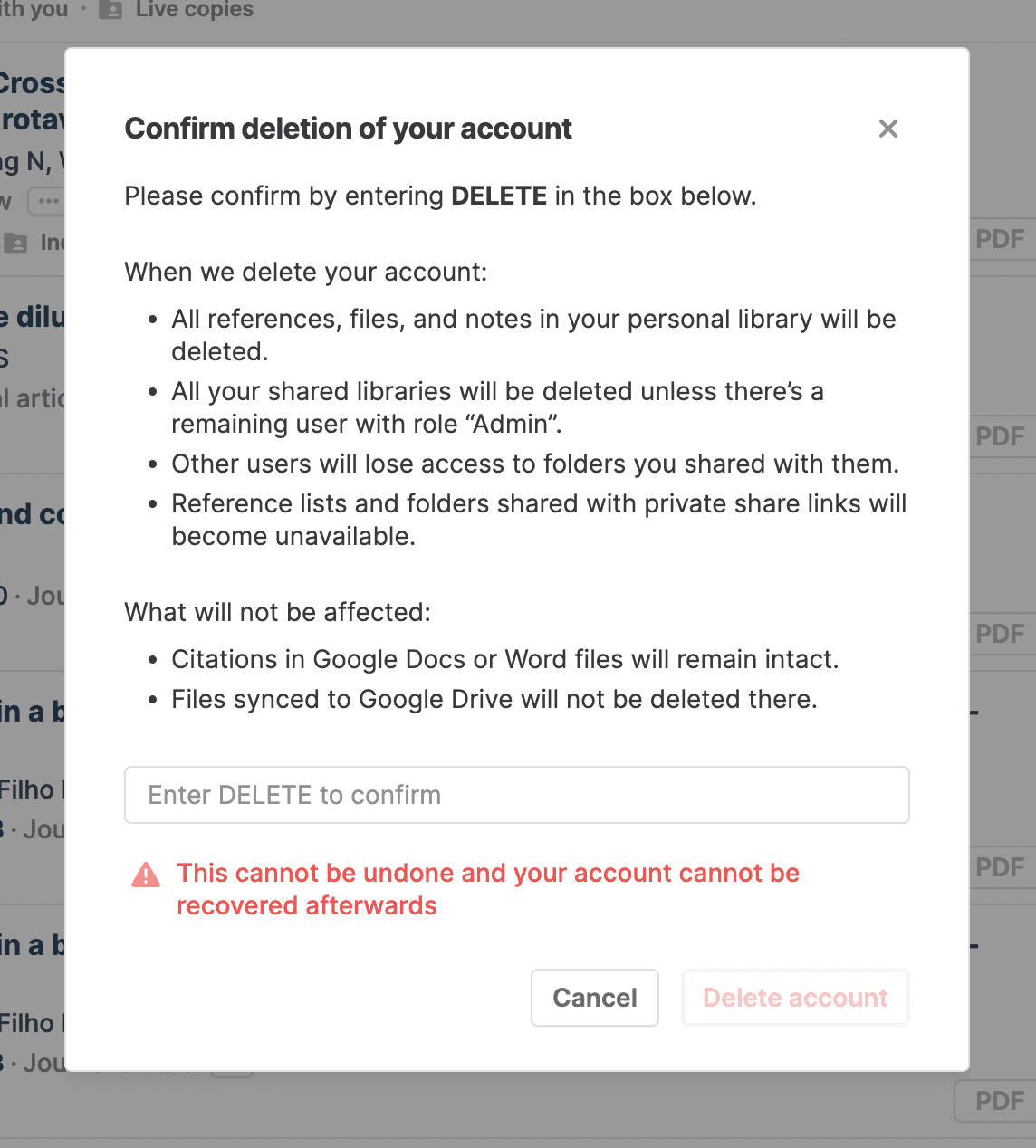
A final confirmation dialog appears. Review what will be deleted:
When we delete your account:
- All references, files, and notes in your personal library will be deleted
- All your shared libraries will be deleted unless there's a remaining user with “Admin” permissions
- Other users will lose access to folders you shared with them
- Reference lists and folders shared with private share links will become unavailable
What will not be affected:
- Citations in Google Docs or Word files will remain intact
- Files synced to Google Drive will not be deleted there
To confirm, type DELETE in the text box and click Delete account.
What happens when you delete your account
What gets deleted immediately
Your Paperpile account and all associated data are permanently deleted:
- Your account and login credentials
- Your personal library (all references and metadata)
- Your PDFs and attachments stored in Paperpile
- Shared libraries you own (unless another Admin remains)
- Shared folders you own (collaborators lose access)
- Private share links you created
What is not deleted
Some data outside Paperpile remains unaffected:
- Citations in documents: Citations in your Google Docs or Word files remain intact
- Files in Google Drive or OneDrive: PDFs and attachments synced to your cloud storage are not deleted there
- Collaborators' personal libraries: If collaborators added references from your shared folders to their personal libraries, their copies remain
What happens to shared content
- Shared libraries you own: If you're the only administrator, the entire library is deleted and all members lose access. If another administrator remains, the library continues and you're simply removed as a member.
- Shared folders you own: Other users lose access to folders you shared with them. The folders become unavailable.
- Shared folders and libraries owned by others: You're removed as a member, but the folders and libraries continue for other members.
- Private share links: All share links you created become unavailable.
Request complete data deletion (GDPR)
Account deletion removes your data from Paperpile's active systems. If you need complete data deletion including backups and logs (for example, to exercise your right to erasure under GDPR), contact our support team at support@paperpile.com.
Include "GDPR data deletion request" in your subject line and provide:
- Your Paperpile account email address
- Confirmation that you've deleted your account or would like us to delete it for you
We'll process your request according to applicable data protection laws.
Common questions
Can I recover my account after deletion?
No. Account deletion is permanent and cannot be undone. Make sure to export any data you want to keep before deleting your account.
Will my subscription be canceled automatically?
Your subscription will be canceled when you delete your account. You won't be charged again. However, we recommend canceling your subscription before deleting your account to ensure immediate cancellation.
What happens to references I shared with collaborators?
If collaborators added your shared references to their personal libraries, they keep those copies. However, they'll lose access to your shared folders and any shared libraries you own.
Can I delete only some of my data instead of my entire account?
You can delete individual references, folders, or shared libraries without deleting your account. Use the three-dot menu on any item and select Trash. To delete your entire library but keep your account, in the toolbar select all references and click the trash button. See Trash and delete references for more information.
How long does deletion take?
Account deletion is immediate. Your account and data are removed from Paperpile's active systems right away. Complete removal from backups and logs (if you request GDPR deletion) may take up to 30 days.